 TidyBatch
Bulk rename files without the fear.
Preview every change, apply it, and undo it with one command. One small, open-source tool for Windows, macOS and Linux.
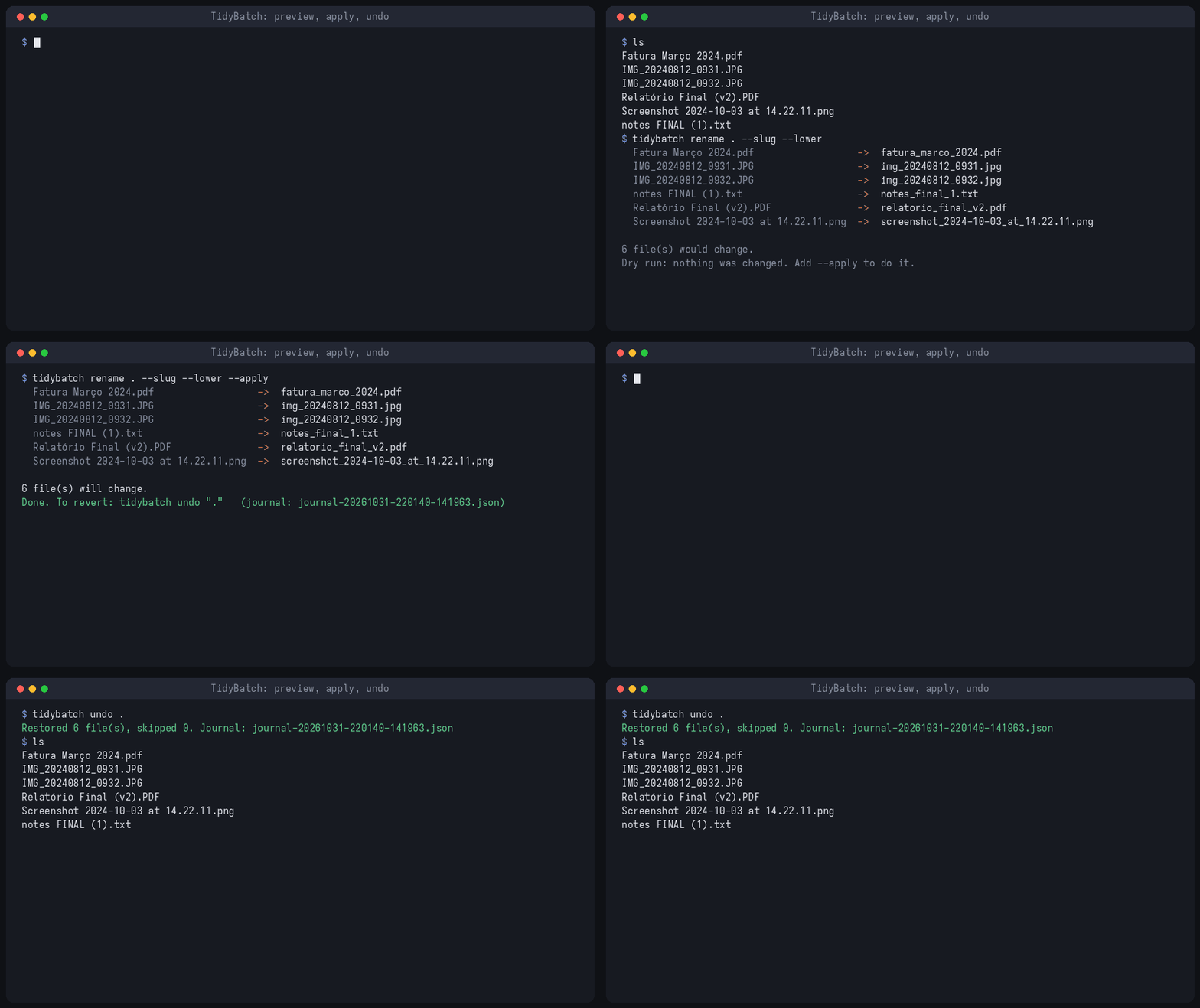
pipx install tidybatch

tidybatch rename ~/Downloads --slug --lower           # preview only
tidybatch rename ~/Downloads --slug --lower --apply   # do it
tidybatch undo ~/Downloads                            # changed your mind
Why it's safe
Dry run by default
Nothing changes until you add --apply.
One-command undo
Every applied run is journaled, so undo puts every file back.
Never overwrites
Two-phase renames make chains like 1→2, 2→3 safe. Clashes get _1, _2.
Guides
How to bulk rename files safely
Windows, macOS and Linux, with the free built-in options first.
Can you undo a bulk rename?
What actually works after the fact, and how to make sure you never need it.
Rename photos by date taken
JPEG, iPhone HEIC and RAW: names and year/month folders from the EXIF date.
Add the date to file names
Modified date vs. "date taken", with PowerShell, bash and exiftool.
Find duplicate files safely
Built-in commands for Windows, macOS and Linux, and which copy to keep.
Organize your Downloads folder
Images, Documents, Videos… in one go, with a preview first.
Free vs. Pro
| Core (free, MIT) | Pro (one-time) | |
|---|---|---|
| Rename: templates, counters, dates, regex, clean names | ✓ | ✓ |
| Preview, collision-proof apply, undo | ✓ | ✓ |
| Photos: name and sort by EXIF date taken (JPEG, HEIC, RAW) | ✓ | ✓ |
organize: sort into folders by type, date (incl. date taken) or extension | — | ✓ |
dedupe: exact duplicates by content, moved aside (never deleted) | — | ✓ |
| Ready-to-run apps for Windows and Linux | — | ✓ |